
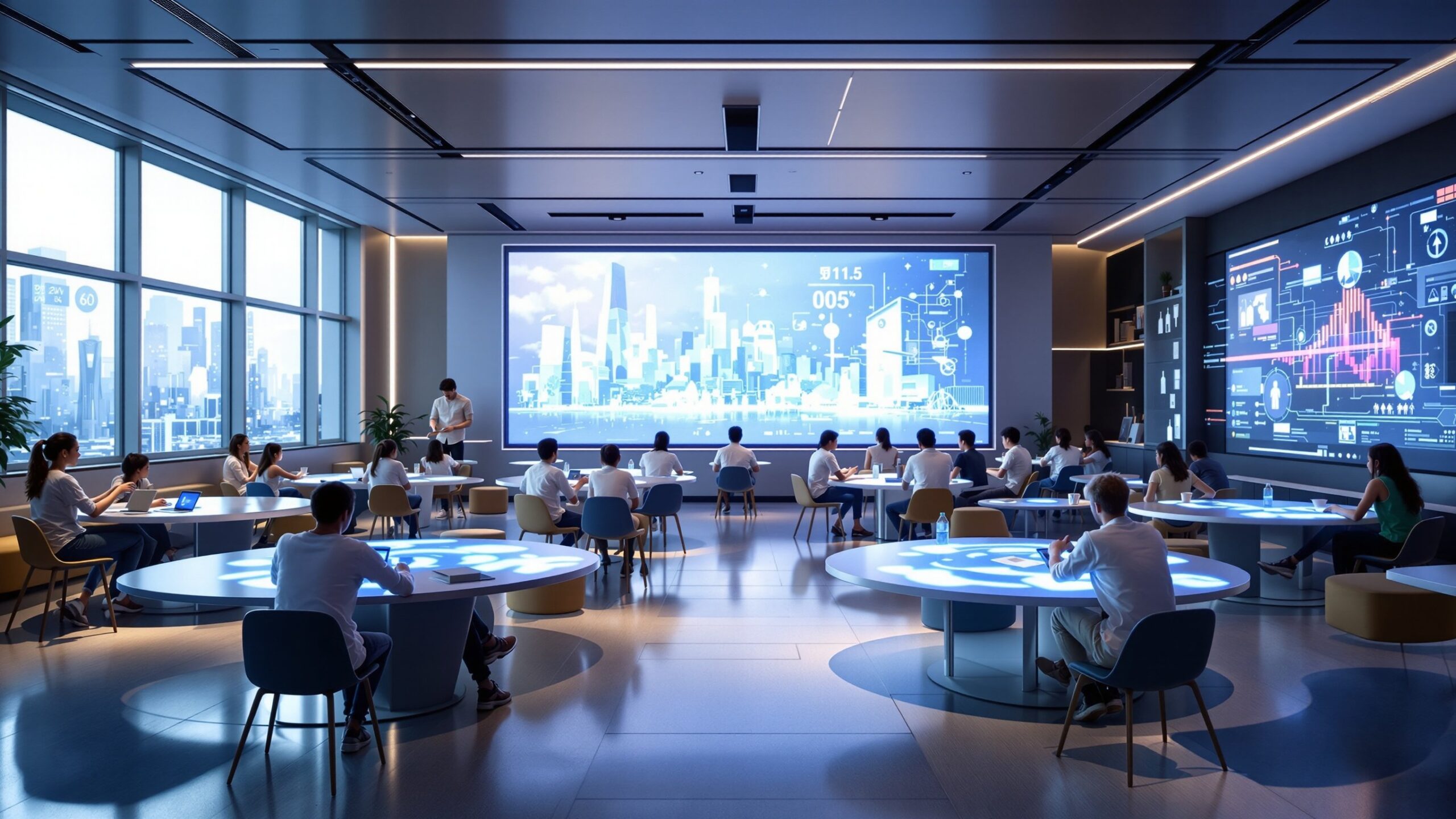
Learning isn’t confined to four walls anymore. The Innovative Learning Spaces section of eLearning Street explores how architecture, design, and technology unite to transform education. Discover classrooms that flex, libraries that breathe creativity, and digital spaces that connect learners across the globe. From modular seating and immersive light to outdoor classrooms and AI-powered studios, these environments are built to spark imagination and engagement. Each article uncovers how physical and virtual design choices impact collaboration, focus, and well-being. Whether you’re an educator, designer, or policymaker, you’ll see how the next generation of learning spaces inspires curiosity, adaptability, and a deep love of learning.
1. Flexible layouts: reconfigure in minutes—seminar, studio, circle, stations.
2. Zoning: quiet focus, collaboration hubs, making/prototyping, reflection nooks.
3. Mobile furniture: casters, flip-top tables, stackable stools, writable surfaces.
4. Lighting layers: daylight first; task and ambient lighting to reduce fatigue.
5. Acoustics: sound-absorbing panels, ceiling baffles, soft partitions for clarity.
6. Power everywhere: floor boxes, wall rails, battery carts, cable management.
7. Display ecology: analog (whiteboards) + digital walls + student work galleries.
8. Biophilic cues: plants, natural materials, outdoor extensions, views.
9. Inclusivity: UDL-aligned pathways, varying heights, sensory options, ADA clearances.
10. Safety & flow: sightlines for supervision, uncluttered egress, clear wayfinding.
1. Movable furniture increases active learning time by reducing setup friction.
2. Good acoustics can raise speech intelligibility and reduce cognitive load.
3. Access to daylight is linked to better mood, attendance, and focus.
4. Writable walls turn rooms into shared memory—ideas stay visible.
5. Clear sightlines enable quick coaching and safer maker activities.
6. Charging density = device uptime; plan for peak loads, not averages.
7. Color cues help wayfinding; neutrals + accent zones prevent visual noise.
8. Micro-zones support introverts and extroverts within one room.
9. Outdoor classrooms expand space, reduce noise, and invite real-world tasks.
10. Hybrid-ready AV (mics, cameras) widens access beyond the room.
1. Interactive displays & wireless casting for multi-device collaboration.
2. Modular maker kits: robotics, 3D printers, laser cutters with safety zones.
3. VR/AR carts for immersive labs; sanitize and manage with check-in/out.
4. Mobile whiteboards for pop-up studios and gallery walks.
5. Acoustic pods/booths for recording, tutoring, or quiet work.
6. Device storage/charging: lockable, ventilated, numbered bays.
7. Sensor kits to study air, light, sound—students optimize their space.
8. Projection mapping for whole-wall simulations and data storytelling.
9. Scheduling software to book zones, equipment, and project time.
10. Accessibility tech: captioning displays, hearing loops, screen readers.
1. Environment signals behavior—space design nudges collaboration or focus.
2. Choice of posture (sit/stand/floor) increases autonomy and persistence.
3. Visual clutter taxes working memory; keep displays purposeful.
4. Movement breaks (re-zone, wall work) refresh attention and memory.
5. Natural materials and views lower stress and boost creativity.
6. Clear “micro-instructions” posted at zones reduce teacher talk-time.
7. Multi-sensory cues (light, texture, sound) aid wayfinding and recall.
8. Ownership matters—student-produced displays increase belonging.
9. Hybrid equity: ensure online learners see/hear peers and artifacts.
10. Reflection corners invite metacognition: plan → do → review.
1. Run a 5-minute “room reset” drill—time your reconfiguration.
2. Add one writable surface per table cluster—pilot for two weeks.
3. Create a noise plan: quiet lane, collaboration lane, maker lane.
4. Place power strips where students actually sit—map cable routes.
5. Try a gallery walk instead of slide review; capture peer feedback.
6. Install a low-cost plant wall; assign student caretakers.
7. Build a portable AV kit: mic, camera, hub, tripod, labels.
8. Put objectives on a magnet board; move them to zones as students rotate.
9. Pilot an outdoor lesson; document changes in engagement.
10. End each unit by redesigning the room for the next challenge.
Q: Why do we move furniture so often?
A: Different tasks need different setups—movement boosts engagement.
A: Different tasks need different setups—movement boosts engagement.
Q: Is there a “best” seat?
A: Choose by task: focus near quiet zones, collaborate at hubs.
A: Choose by task: focus near quiet zones, collaborate at hubs.
Q: How do I hear better in open rooms?
A: Face speakers, use acoustic pods, and keep devices on low volume.
A: Face speakers, use acoustic pods, and keep devices on low volume.
Q: What if I need quiet?
A: Head to the focus zone; signal with table markers or flags.
A: Head to the focus zone; signal with table markers or flags.
Q: Can I join remotely?
A: Hybrid AV lets you contribute—use camera presets and shared boards.
A: Hybrid AV lets you contribute—use camera presets and shared boards.
Q: Are standing desks required?
A: No—mix sit/stand/floor to match comfort and task.
A: No—mix sit/stand/floor to match comfort and task.
Q: How do we keep it safe?
A: Clear aisles, coil cables, PPE in maker areas, follow posted rules.
A: Clear aisles, coil cables, PPE in maker areas, follow posted rules.
Q: Where do I charge devices?
A: Use labeled charging bays; rotate during breaks.
A: Use labeled charging bays; rotate during breaks.
Q: How do we decide room layouts?
A: Learning goals drive the layout—vote and prototype quickly.
A: Learning goals drive the layout—vote and prototype quickly.
Q: Can we study outside?
A: Yes—outdoor kits and shade structures support mobile lessons.
A: Yes—outdoor kits and shade structures support mobile lessons.